

S — Scan Existing Listings
C — Claim Existing Profiles
A — Add Eligible Locations
L — Label with Standardized Nomenclature
E — Expand, Organize & Optimize
The Complete Google Business Profile Management Framework for Multi-Location Brands.
PHASE 01 — AUDIT
“Know What Already Exists Before Creating Anything.”
Objective
Before creating any new Google Business Profile, identify all existing business listings associated with the brand to avoid duplicates, ownership conflicts, and policy violations.
Outcome: A complete inventory of all existing Google Business Profiles and their ownership status.
Why This Phase Matters
Many businesses unknowingly create duplicate listings because they assume no profile exists. Duplicate profiles can confuse customers and may lead to Google merging or removing listings.
Google recommends checking for existing profiles before creating new ones.
Step-by-Step Process
Step 1: Search the Main Brand
Search on Google and Google Maps using:
- Brand Name
- Brand Name + City
- Brand Name + State
- Brand Name + Area
- Brand Name + Phone Number
- Brand Name + Factory
- Brand Name + Head Office
Record every profile you find.
Step 2: Identify Every Eligible Location
Prepare a master list of locations such as:
- Head Office
- Corporate Office
- Factory
- Branch Office
- Franchise
- Retail Store
- Experience Centre
- Service Centre
- Warehouse (only if customer-facing and eligible)
Mark whether each location qualifies for its own Google Business Profile under Google’s eligibility guidelines.
Step 3: Create an Audit Sheet
For every location, capture:
- Business Name
- Google Maps URL
- Address
- Phone Number
- Website
- Primary Category
- Current Owner
- Verification Status
- Duplicate (Yes/No)
- Action Required
Step 4: Ownership Check
Classify every listing as:
- Owned by the Brand
- Owned by a Franchise Partner
- Owned by a Former Employee
- Owned by Another Agency
- Unclaimed
- Unknown
Step 5: Decision Matrix
| Situation | Action |
|---|---|
| Listing exists and owned by brand | Proceed to Optimize |
| Listing exists but owned by another account | Claim |
| Listing exists but has incorrect details | Update after gaining access |
| Listing doesn’t exist | Create New |
| Duplicate listing | Assess and remove/merge according to Google’s process |
Deliverables
By the end of the Audit phase you should have:
- Complete location inventory
- Ownership matrix
- Duplicate report
- Missing locations list
- Creation plan
PHASE 02 — CLAIM
“Secure Ownership Before Managing the Profile.”
Objective
Gain administrative access to existing Google Business Profiles that are owned by another Google account or remain unclaimed.
Outcome: The correct people have access to manage every legitimate listing.
Why This Phase Matters
Without ownership, you cannot reliably update business information, respond to reviews, publish posts, or access insights.
Step-by-Step Process
Step 1: Open the Existing Business Profile
Locate the listing through Google Search or Google Maps.
Step 2: Select “Own this business?” (or the equivalent prompt if shown)
Follow Google’s ownership request flow.
Step 3: Choose the Available Verification Method
Google determines the available verification options. These may include:
- Video verification
- Phone verification (if available)
- Email verification (if available)
- Live video call (for some businesses)
- Postcard verification (where offered)
- Other methods Google may introduce
Step 4: If Another Owner Exists
Submit an ownership request.
The current owner typically has a limited period to respond.
If approved, ownership is transferred.
If no response is received within Google’s timeframe, additional verification options may become available.
Step 5: Confirm Access
After successful verification:
- Add the corporate owner as Primary Owner (when appropriate)
- Add regional managers
- Add the marketing agency
- Add franchise managers with appropriate permissions
Deliverables
- Claimed listings
- Ownership transferred where applicable
- Permission matrix updated
PHASE 03 — CREATE
“Create Only Eligible Google Business Profiles.”
Objective
Create new Google Business Profiles only for business locations that are eligible under Google’s policies.
Outcome: Accurate, policy-compliant profiles ready for verification.
Step-by-Step Process
Step 1: Confirm Eligibility
Before creating a profile, verify:
- Does this location serve customers directly?
- Does it have permanent signage (where required)?
- Is it staffed during stated business hours?
- Is it a genuine business location?
If the answer is No, do not create a listing.
Step 2: Gather Required Information
Prepare:
- Official business name
- Primary category
- Secondary categories
- Address
- Phone number
- Website
- Business hours
- Description
- Products
- Services
- Logo
- Cover photo
- Interior and exterior photos
Step 3: Create the Profile
Enter all details accurately and consistently.
Avoid keyword stuffing or promotional text in the business name.
Step 4: Review Before Submission
Cross-check:
- Address
- Phone
- Website
- Category
- Business hours
- Map pin
- Business name
Deliverables
- New profile created
- Ready for verification
PHASE 04 — VERIFY
“Prove That the Business Exists.”
Objective
Complete Google’s verification process using the method offered for that location.
Outcome: Verified Business Profile**.**
Verification Readiness Checklist
Prepare:
- Exterior signage
- Street view
- Entrance
- Interior
- Staff presence
- Equipment
- Utility bills (if requested)
- Business registration (if requested)
- Access to the premises
If Video Verification Is Offered
Show:
- Street and surroundings
- Permanent signage
- Entry into the business
- Operational workspace
- Evidence that the business is active
Follow Google’s instructions carefully during the verification process.
You can refer to our Blog on video verification from here: https://www.monkeyads.in/gmb-video-verification-guide/
Deliverables
- Verified profile
- Verification record maintained
PHASE 05 — STANDARDIZE
“Every Location Should Follow One Naming System.”
Objective
Maintain consistent business names across all locations while following Google’s naming guidelines.
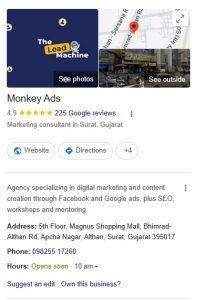
Monkey Ads Naming Standards
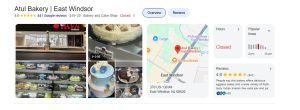
Scenario A: Multiple outlets in the same city
Brand Name – Complex Name – Area
Example:
ABC Bakery – Iscon Plaza – Satellite
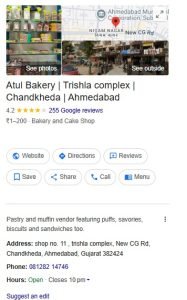
Scenario B: Few outlets per city
Brand Name – Area
Example:
ABC Bakery – Satellite
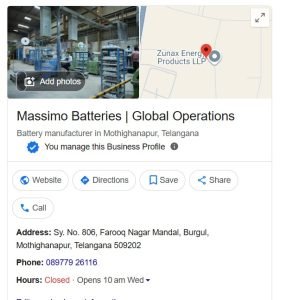
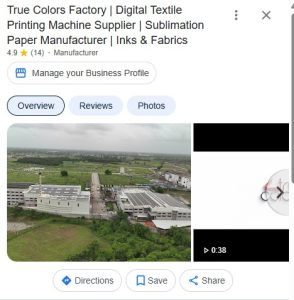
Scenario C: Factory
Brand Name Factory
Example:
ABC Batteries Factory
Scenario D: Headquarters
Brand Name Headquarters/Head Office
Example:
ABC Batteries Headquarters
❌Avoid-Do not Add
- “Best”, “Top”, “#1
- “Cheap”
- City names added only for SEO
- Phone numbers
- Promotional slogans
- Emojis
- City names unnecessarily
Business names should reflect the real-world identity used on signage and official branding.
Deliverables
- Approved naming convention sheet
- Consistent naming across all locations
PHASE 06: ASSET MANAGEMENT
Upload Media
Required Assets
Logo
- Square
- High resolution
Cover Photo
- Exterior branding
Interior Photos
5–10 images
Team Photos
3–5 images
Product Photos
10–20 images
Videos
30–60 seconds
PHASE 07 — ORGANIZE
“Give the Right People the Right Access.”
Objective
Establish a clear ownership and permission structure for every location.
Recommended Access Matrix
| Role | Access |
| Corporate Admin | Primary Owner |
| Regional Manager | Owner |
| Franchise Owner | Manager/Owner (as appropriate) |
| Marketing Agency | Manager |
| Local Store Manager | Manager (if needed) |
Maintain an updated access register for all locations.
Deliverables
- Ownership matrix
- Permission register
PHASE 07 — CONNECT With Monkey Magic Link
“Bring Every Location Together.”
Objective
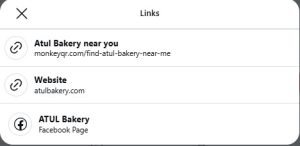
Create a single Monkey Magic Link™ that showcases all verified business locations.
This allows customers to find the nearest outlet from one central destination.
Use the link across:
- Website
- Instagram bio
- Email signatures
- QR codes
- Brochures
Example
https://monkeyqr.com/find-atul-bakery-near-me
Deliverables
- Monkey Magic Link created
- All verified locations included
PHASE 08 — OPTIMIZE
“Keep Every Business Profile Active and Accurate.”
Objective
Maintain consistent quality and performance across every location.
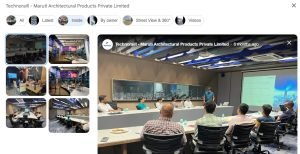
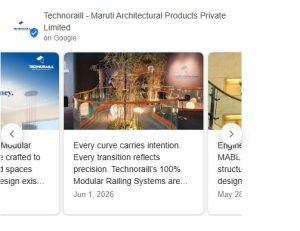
Monthly Maintenance Checklist
- Respond to reviews
- Upload new photos
- Publish posts
- Update products
- Update services
- Check business hours
- Add holiday hours
- Review Q&A
- Check for duplicates
- Review profile insights
- Verify contact information
- Confirm map pin accuracy
- Analyze performance
- Optimize categories
Quarterly Audit
- Audit all locations
- Verify Ownership review
- Naming compliance
- Category review
- NAP consistency
- Performance analysis
- Refresh assets
- Competitor benchmarking
Deliverables
- Healthy, up-to-date Google Business Profiles
- Consistent customer experience
- Ongoing compliance with Google Business Profile best practices
PHASE 09: REVIEW MANAGEMENT
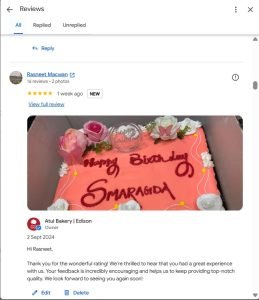
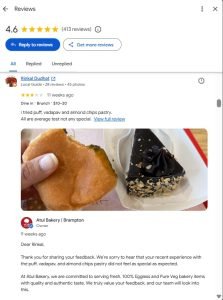
Reputation Management
Daily:
- Check reviews
- Reply within 24 hours
Response Guidelines
To ensure a standardized and scalable review management process across all business locations, integrate Monkey’s WTR-RTR Framework™ for review generation and response management.
Framework Reference: https://www.monkeyads.in/google-review-wtr-rtr-framework/
Positive:
- Thank customer
- Personalize response
Negative:
- Acknowledge issue
- Offer resolution
- Avoid arguments
Non-Negotiable Google Business Profile Compliance Rules
Always remember:
❌ Never create duplicate listings
❌ Never add keywords to business names
❌ Never purchase fake reviews
❌ Never use virtual offices (unless staffed during business hours)
❌ Never use P.O. Boxes
❌ Never manipulate locations
❌ Never create profiles for businesses without physical customer interaction
❌ Never share ownership with unnecessary users
Final Goal
1 Brand → Multiple Locations → One Standardized System → One Source of Truth → One Repeatable Process → Google Policy Compliant → Scalable Across 10, 100, or 1000 Locations.
Authors:
Palak Madhwani
Shivani Pandya
Niyati Agarwal